01
Verify the source
Confirm the download page and publisher rather than trusting ads or forwarded installers.
Read guide ↗A modern introduction to self-custody: understand your keys, prepare an offline backup, view multi-chain assets and review every transfer before you sign.
Explore the beginner guide →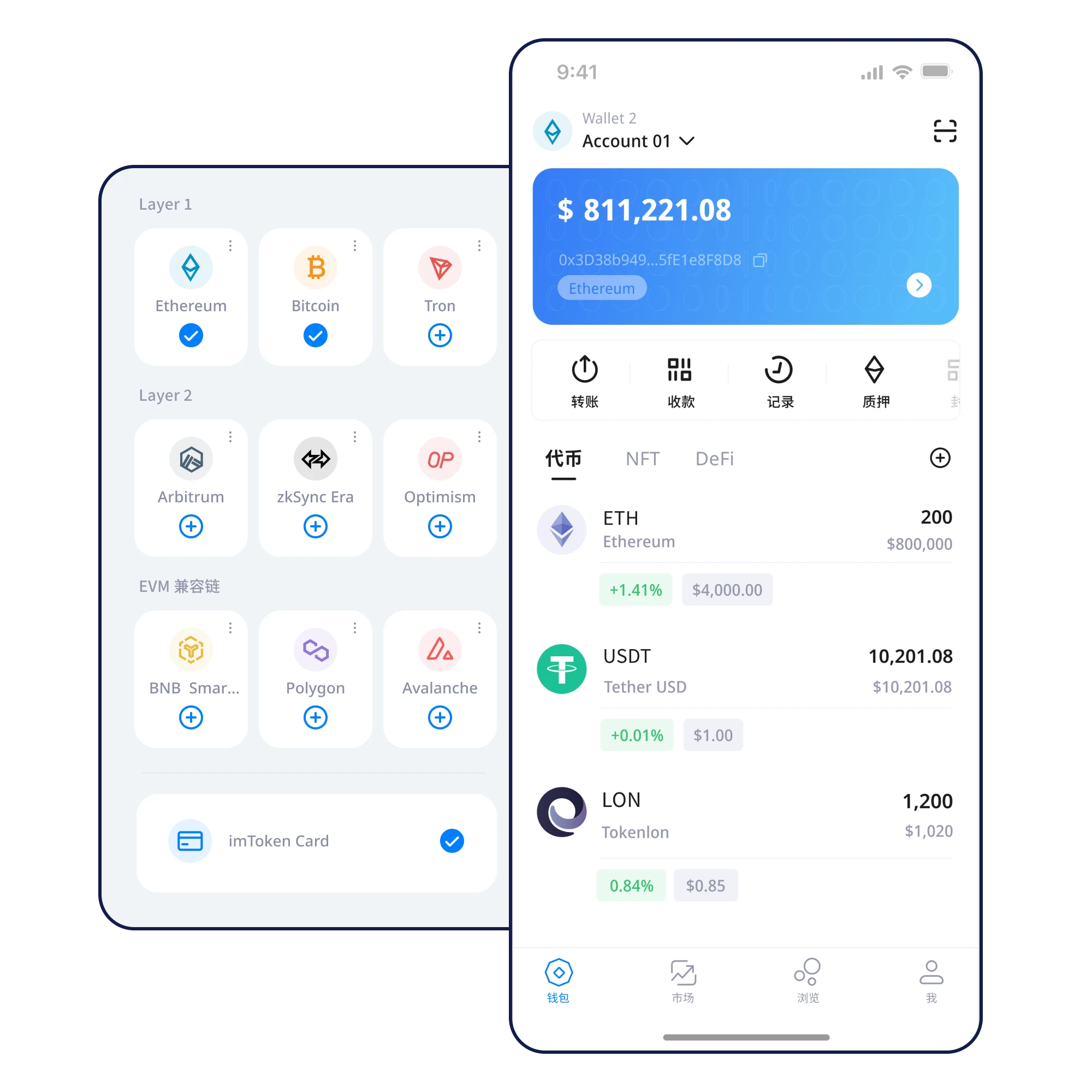
A sample wallet panel brings asset balances, network context and security checks into one readable view. Amounts are illustrative, not live balances.
Confirm the download page and publisher rather than trusting ads or forwarded installers.
Read guide ↗Choose the correct setup flow and understand what the wallet is asking you to authorize.
Read guide ↗Write the recovery phrase privately and check the word order before continuing.
Read guide ↗Protect the written backup from screenshots, cloud sync and casual access.
Read guide ↗Check the selected network and token details while viewing your assets.
Read guide ↗Confirm the recipient, chain, amount and fees before approving a transfer.
Read guide ↗Keep your wallet credentials under deliberate control. Learn the difference between a password, a private key and a recovery phrase.
Learn about this principle →
An offline recovery plan matters before your phone breaks, is lost or needs replacement. Practice the checks before they become urgent.
Learn about this principle →
Make network, address, amount and contract permissions visible parts of your signing routine.
Learn about this principle →
Keep your recovery credentials private and understand how access is controlled.
Check the recipient, network and permissions before every authorization.
Plan for device loss before it happens; protect your offline backup.
Follow a short path to the right guide—without searching through a wall of identical cards.
A polished page is not proof of legitimacy. Security depends on verified sources and understood approvals.
Explore phishing risks →Self-custody means you manage essential credentials. Verify the actual product behavior and published documentation rather than relying on marketing claims.
Updated blockchain data and transaction broadcasting typically require connectivity. Recovery phrase backups should stay offline.
Write it down privately, verify the word order and store it offline. Avoid screenshots, messaging apps and cloud uploads.
A private key signs for an address. A recovery phrase can derive and restore keys under supported wallet standards. Both require strict protection.
Verify the download source, review the installation steps and back up your recovery phrase before using the wallet.
⬇ Download NowDesktop downloads are under maintenance. Mobile follows the download information page.